

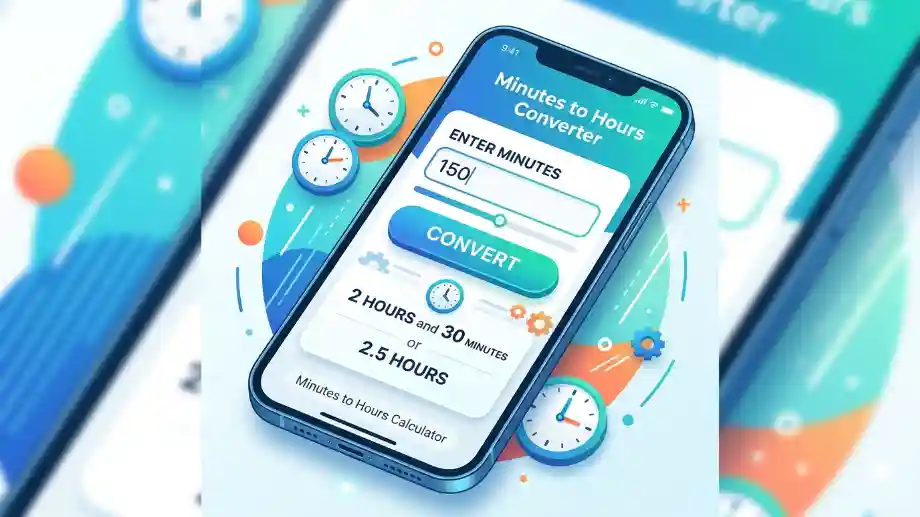
Time conversion is a common requirement in both personal and professional life. Whether you’re calculating employee work hours, preparing payroll, tracking study sessions, managing projects, or converting exercise durations, accurately converting minutes into hours is essential. A Minutes to Hours Calculator simplifies this process by instantly converting any number of minutes into hours, saving time and eliminating manual calculation errors.
Although the calculation itself is straightforward, many people still make mistakes when converting minutes into decimal hours. These errors can affect payroll, invoices, project estimates, and scheduling. Using a reliable calculator ensures consistency and accuracy while making time management much easier.
This comprehensive guide explains how minute-to-hour conversion works, the formulas involved, practical examples, common mistakes, real-world applications, and frequently asked questions.
Why Convert Minutes into Hours?
Most activities are measured in minutes, but many business systems require time to be recorded in hours. Payroll software, project management tools, billing systems, and attendance records often use decimal hours rather than minutes.
Converting minutes into hours helps with:
- Employee payroll
- Freelancer invoicing
- Time tracking
- Project management
- Academic scheduling
- Fitness tracking
- Transportation planning
- Manufacturing operations
- Research data analysis
- Productivity measurement
Accurate conversions reduce administrative errors and improve decision-making.
Read more guide : 1000 Hours in Days: Formula, Examples, and Easy Conversion
What Is a Minutes to Hours Calculator?
A Minutes to Hours Calculator is an online tool that converts minutes into hours using a simple mathematical formula.
Instead of manually dividing by 60, users simply enter the number of minutes and receive the converted value instantly.
For example:
| Minutes | Hours |
| 30 | 0.5 |
| 60 | 1 |
| 90 | 1.5 |
| 120 | 2 |
| 240 | 4 |
| 480 | 8 |
Many advanced calculators also display:
- Hours and minutes
- Decimal hours
- Total seconds
- Work hours after breaks
- Multiple time conversions
How Minutes Are Converted into Hours
Every hour contains exactly 60 minutes.
The basic conversion formula is:
Hours = Minutes ÷ 60
Examples:
- 60 ÷ 60 = 1 hour
- 90 ÷ 60 = 1.5 hours
- 150 ÷ 60 = 2.5 hours
- 300 ÷ 60 = 5 hours
The formula works for every time conversion regardless of the number of minutes.
Step-by-Step Example
Suppose you want to convert 135 minutes.
Step 1
Write the number of minutes.
135 minutes
Step 2
Divide by 60.
135 ÷ 60 = 2.25
Step 3
Result:
2.25 hours
Or:
2 hours 15 minutes
Minutes to Decimal Hours
Many payroll systems use decimal hours instead of hours and minutes.
Here are common conversions:
| Minutes | Decimal Hours |
| 5 | 0.08 |
| 10 | 0.17 |
| 15 | 0.25 |
| 20 | 0.33 |
| 30 | 0.50 |
| 45 | 0.75 |
| 50 | 0.83 |
| 60 | 1.00 |
Knowing these values helps when preparing timesheets and invoices.
Why Businesses Use Decimal Hours
Businesses calculate wages by multiplying total hours worked by an hourly pay rate.
Example:
Employee works:
7 hours 30 minutes
Decimal conversion:
7.5 hours
Hourly wage:
$20
Payroll calculation:
7.5 × 20 = $150
Without converting minutes correctly, payroll errors become more likely.
Real-World Applications
Employee Payroll
Human resource departments convert clock-in and clock-out times into decimal hours for accurate wage calculations.
For example:
Shift:
8:30 AM – 5:00 PM
Worked:
8 hours 30 minutes
Payroll:
8.5 hours
Freelancing
Freelancers commonly bill clients by the hour.
If a designer spends:
150 minutes
The billable time becomes:
2.5 hours
This simplifies invoice preparation.
Project Management
Project managers estimate tasks using hours instead of minutes.
Example:
Research:
210 minutes
Converted:
3.5 hours
This improves scheduling and resource allocation.
Education
Students often monitor study time.
Weekly study:
540 minutes
Conversion:
9 hours
This makes it easier to measure progress toward learning goals.
Fitness
Exercise apps record workout durations.
Workout:
75 minutes
Converted:
1.25 hours
This provides a clearer picture of weekly exercise time.
Benefits of Using a Minutes to Hours Calculator
Using a calculator provides several advantages:
Saves Time
Results appear instantly without manual calculations.
Improves Accuracy
Reduces mathematical errors.
Simplifies Payroll
Supports precise wage calculations.
Better Time Tracking
Useful for work logs, attendance, and billing.
Easy to Use
No advanced mathematical knowledge is required.
Manual Conversion vs Calculator
| Manual Conversion | Calculator |
| Requires division | Instant result |
| Higher chance of mistakes | Highly accurate |
| Slower | Fast |
| Best for simple calculations | Suitable for all conversions |
Common Minute-to-Hour Conversions
| Minutes | Hours |
| 15 | 0.25 |
| 30 | 0.5 |
| 45 | 0.75 |
| 60 | 1 |
| 75 | 1.25 |
| 90 | 1.5 |
| 120 | 2 |
| 180 | 3 |
| 240 | 4 |
| 300 | 5 |
| 360 | 6 |
| 480 | 8 |
| 600 | 10 |
Common Conversion Mistakes
Avoid these common errors:
Dividing by 100
Some people incorrectly divide minutes by 100.
Example:
30 ÷ 100 = 0.30 ❌
Correct:
30 ÷ 60 = 0.50 ✔
Confusing Decimal Hours with Minutes
0.5 hour equals:
30 minutes
—not—
50 minutes.
Rounding Too Early
Always complete the calculation before rounding the final result.
Ignoring Breaks
If employees take unpaid breaks, subtract those minutes before converting to hours.
Practical Examples
Example 1
240 minutes
240 ÷ 60 = 4 hours
Example 2
95 minutes
95 ÷ 60 = 1.58 hours
Or:
1 hour 35 minutes
Example 3
525 minutes
525 ÷ 60 = 8.75 hours
Equivalent:
8 hours 45 minutes
Time Conversion Formula Cheat Sheet
| Convert | Formula |
| Minutes to Hours | Minutes ÷ 60 |
| Hours to Minutes | Hours × 60 |
| Minutes to Seconds | Minutes × 60 |
| Hours to Seconds | Hours × 3600 |
| Days to Hours | Days × 24 |
Best Practices for Accurate Time Conversion
To ensure consistent results:
- Always divide by 60.
- Round only after completing the calculation.
- Keep decimal precision when preparing payroll.
- Double-check time entries before invoicing.
- Deduct unpaid breaks before converting.
- Use the same time format across reports.
- Verify calculations for long work shifts.
Real-World Importance of Accurate Time Tracking
Time tracking has become increasingly important in modern workplaces. According to workforce productivity studies, organizations that implement structured time tracking often experience improved project visibility, more accurate payroll processing, and better resource planning. Similarly, many freelance platforms encourage hourly workers to maintain precise time records to ensure transparent billing and client trust.
For businesses, even small conversion mistakes can accumulate across hundreds of employees, affecting payroll accuracy and compliance. For individuals, accurate conversions support better budgeting of time, improved productivity, and more effective planning.
Frequently Asked Questions
What is a Minutes to Hours Calculator?
It is a tool that converts minutes into hours using the formula:
Hours = Minutes ÷ 60
How do I convert minutes into hours manually?
Simply divide the total number of minutes by 60.
Example:
180 ÷ 60 = 3 hours.
Why do payroll systems use decimal hours?
Decimal hours make wage calculations easier because hourly rates can be multiplied directly by total hours worked.
Is 90 minutes equal to 1.5 hours?
Yes.
90 ÷ 60 = 1.5 hours.
How many hours are 150 minutes?
150 ÷ 60 = 2.5 hours, or 2 hours and 30 minutes.
Can I convert minutes into hours without a calculator?
Yes. Use the formula:
Hours = Minutes ÷ 60
A calculator simply speeds up the process and reduces the risk of mistakes.
Why is dividing by 60 important?
Because one hour contains exactly 60 minutes. This fixed relationship makes the conversion accurate and universally accepted.
Does this calculator work for large values?
Yes. Whether you’re converting 30 minutes or 100,000 minutes, the same formula applies.
Conclusion
A Minutes to Hours Calculator is one of the simplest yet most valuable time conversion tools for professionals, students, freelancers, businesses, and anyone who works with time-based data. By converting minutes into hours instantly and accurately, it eliminates manual errors, improves payroll accuracy, simplifies billing, and supports better planning.
Whether you’re tracking work hours, preparing invoices, monitoring study sessions, or managing projects, understanding how to convert minutes into hours helps you work more efficiently and make informed decisions.
